 Reglyph
Translate English PDFs & documents to Japanese
scanned or digital — without breaking the layout
Companies working with Japanese partners routinely need English contracts, product manuals and compliance documents rendered in Japanese, and residents in Japan often have to hand English paperwork to a municipal office in Japanese. Reglyph reads a scanned or digital English PDF with OCR, erases the original text from the page image, and typesets the Japanese translation back in place — so a 40-page manual keeps its numbered diagrams, tables and warning boxes exactly where they were.
Typesetting Japanese into an English layout
Japanese mixes kanji, hiragana and katakana, and a translated line often runs longer than the English original — especially inside narrow table cells, where dense kana strings can overflow a column sized for English. Because Reglyph rebuilds each page rather than overlaying text, the Japanese translation is fitted back into the original cells and text blocks, so tables, stamps and figure callouts keep their positions.
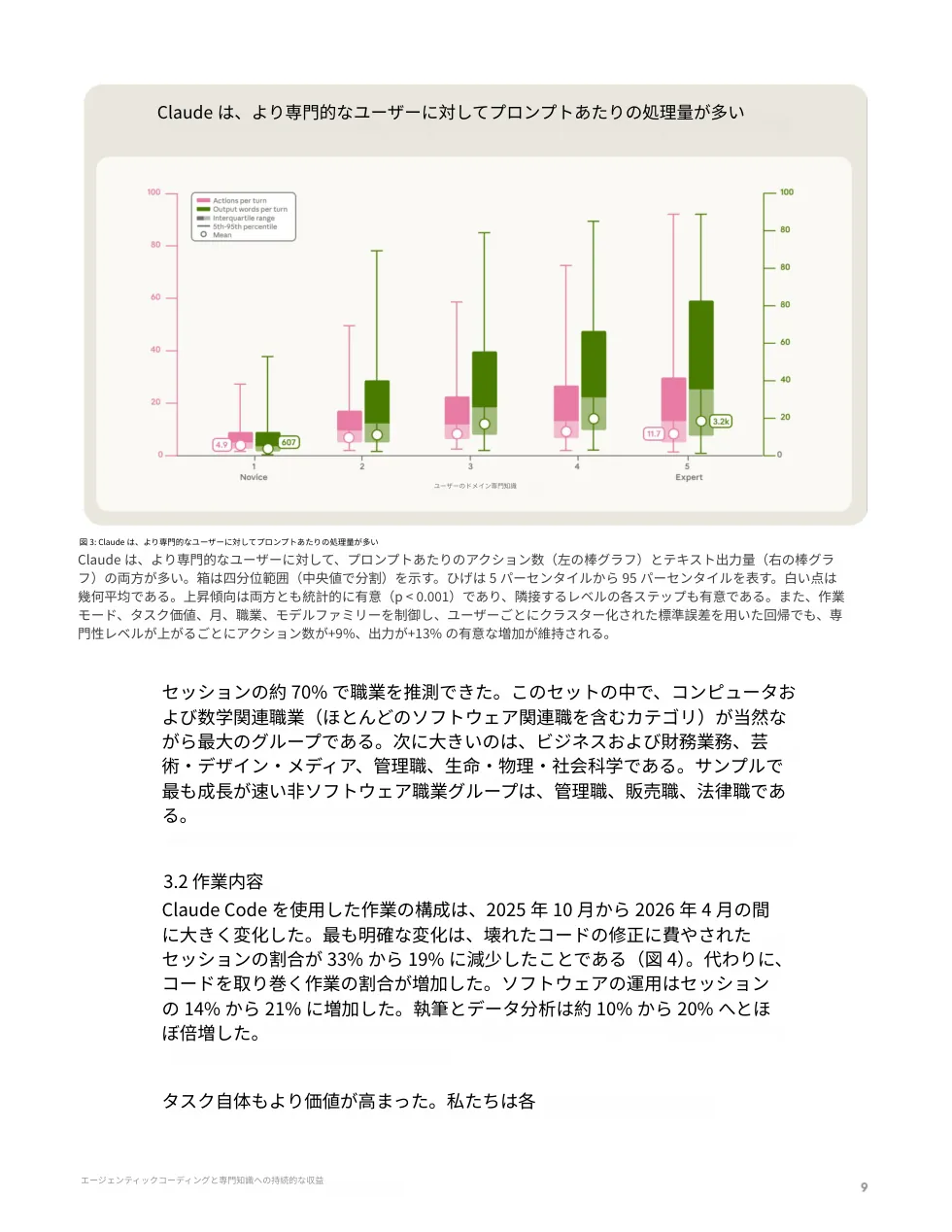
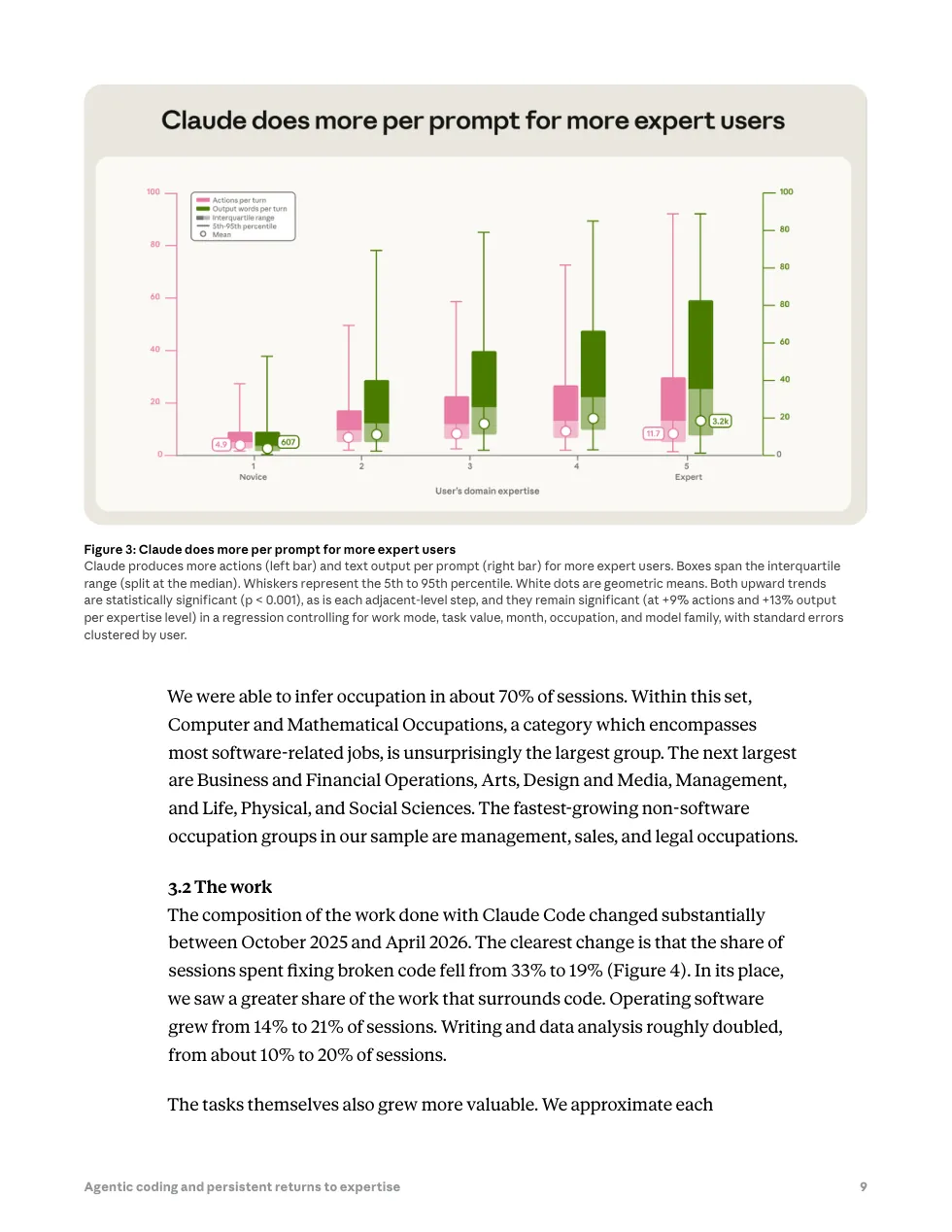
Drag to compare — every table, figure, and number stays in place.
Common scanned English documents we translate
These are the English-language documents people most often translate to Japanese — each keeps its original layout, seals, and tables.
How to translate a scanned English document
Drop in a scanned English PDF, a digital PDF, or a photo of the page. Image-only files are fine — no text layer needed.
OCR extracts the English text, then it's translated to Japanese while the original text is erased from the page.
Get a clean PDF where tables, figures, stamps, and numbers sit exactly where they were.
English → Japanese — frequently asked
Can I translate an English contract to Japanese and keep the clause numbering and tables?
Yes. Reglyph erases the English text from the page image and typesets the Japanese in the same positions, so clause numbers, tables and signature blocks stay where they were. It is machine translation, so have a bilingual reviewer check legal wording before anything is signed.
Is a machine translation accepted by a Japanese city hall or immigration office?
Requirements vary by office; many accept a translation as long as someone takes responsibility for it, while others require specific translator details. Use Reglyph to produce the translated document with the layout intact, then have a qualified translator verify and attest it where the office requires that.
Does it work on a photographed English document, not just a clean PDF?
Yes — photographed and scanned documents are supported, and clear printed pages work best. Heavy handwriting is unreliable for OCR, so a handwritten letter may come out incomplete. You can try it on 5 free pages a day without a credit card.
Choose your plan
Simple, scan-friendly pricing. Pages are pages — no multiplier for scanned files.
$0.30 a page, from 10 pages — you pay for exactly 10 pages.
- $0.30 / page — buy exactly what you need
- Pages never expire
- Up to 100 MB per file
- $0.09 / page
- 100 pages every month
- Up to 100 MB per file
- Pages reset each month
- $0.06 / page
- 500 pages every month
- Unused pages roll over (up to 1,500)
- Up to 100 MB per file
Translate scanned PDFs in other languages
Guides on translating scanned documents
Vision models genuinely read scans now. The question isn't whether ChatGPT can translate your PDF — it's whether a chat reply is actually what you need back.
Read guideCamera-translate apps are great for reading a page on the spot, but they don't give you a file — here's how to get an actual translated PDF from your phone.
Read guideRandom symbols, blank pages, or 'PDF tools are temporarily offline' — the cause is almost always the same one thing, and it's fixable.
Read guide