Translate German PDFs & documents to English scanned or digital — without breaking the layout
Scanned German documents — academic certificates, legal contracts, technical datasheets, and official Amt paperwork — frequently need an English version. Reglyph OCRs the German text, erases it, and rebuilds the page in English so tables, headers, and stamps stay aligned. If you live in Germany and can't read a letter from an authority — a tax assessment from the Finanzamt, a notice from the Jobcenter, a pension adjustment — upload the scan and you get an English version with the same layout in minutes, so you can see what the letter asks of you and by when.
Working from paper? Scan and translate German to English — how to get a usable scan, and what happens to it.
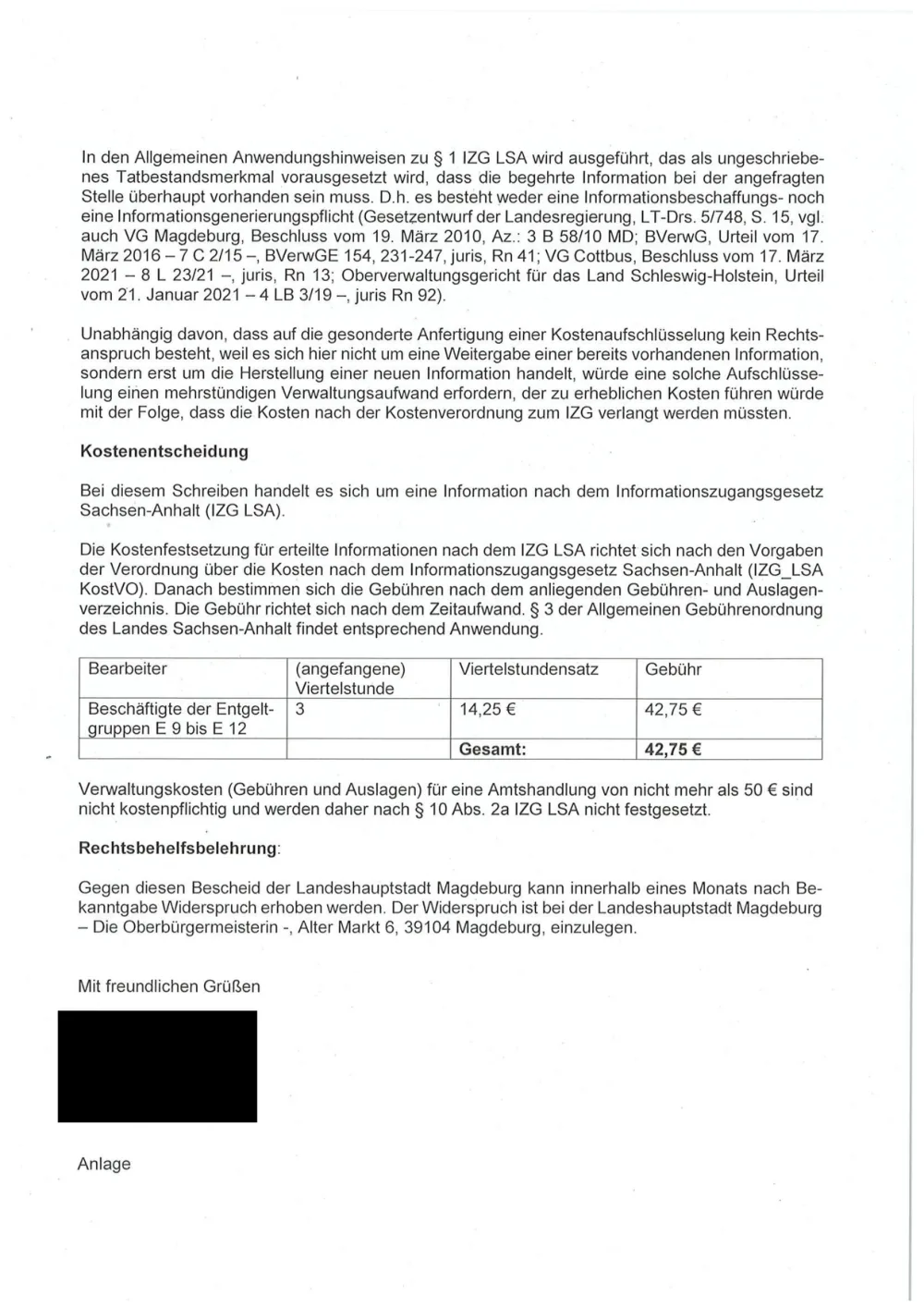
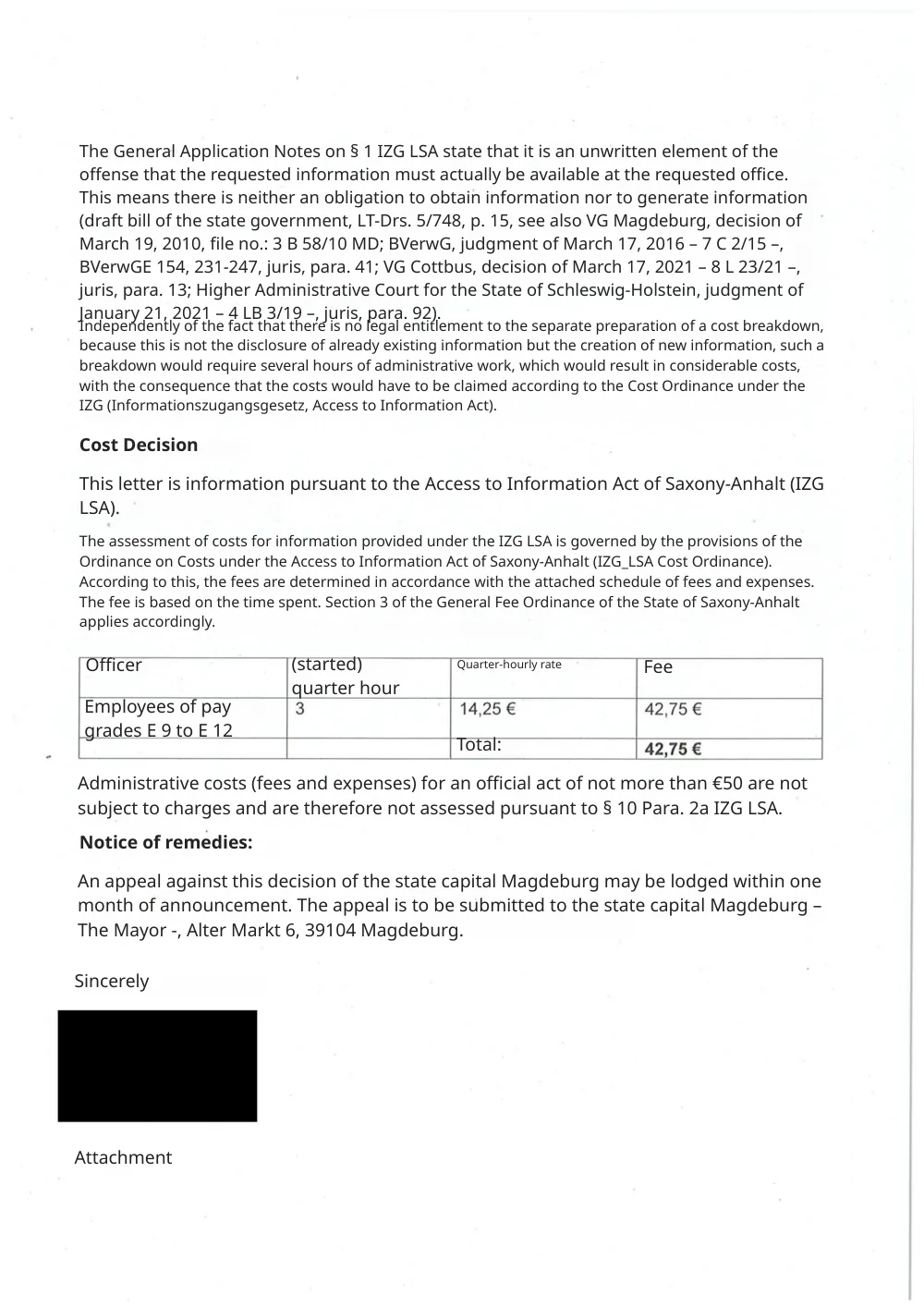
Long compound words and umlauts
German forms very long compound words and uses umlauts (ä, ö, ü) and ß. These can break OCR and overflow tight layouts. Reglyph reads them correctly and refits the (usually shorter) English back into the original blocks.
Common scanned German documents we translate
These are the German-language documents people most often translate to English — each keeps its original layout, seals, and tables.
- University certificates & transcripts
- Employment references (Arbeitszeugnis)
- Legal contracts
- Technical datasheets
- Tax & financial documents
- Birth & marriage certificates
- Letters from German authorities (Finanzamt, Jobcenter, Ausländerbehörde)
- Pension & health-insurance notices
How to translate a scanned German document
Upload your PDF
Drop in a scanned German PDF (one from your phone's scanner app works) or a digital PDF. Image-only PDFs are fine — no text layer needed.
We read & translate
OCR extracts the German text, then it's translated to English while the original text is erased from the page.
Download, layout intact
Get a clean PDF where tables, figures, stamps, and numbers sit exactly where they were.
German → English — frequently asked
I live in Germany and got a letter from the Finanzamt or Jobcenter. Can I translate it into English?
Yes. Scan the letter to a PDF and upload it; the English version keeps the letter's layout, with the table of amounts and the reference number where they were. That's enough to understand what it says. For a formal reply or a submission, follow what the authority asks for.
Does the translation keep reference numbers and deadlines?
Numbers, amounts and reference numbers stay as they are. Dates may be rewritten in English style — in our test 26.09.2026 became 09/26/2026 — so check every deadline against the original letter, especially the period for filing an objection (Widerspruch).
Can it translate a scanned German contract with tables?
Yes. Contract tables and clause numbering are preserved while the German is translated to English.
Does it handle umlauts and ß?
Yes. ä, ö, ü, and ß are recognized correctly, which is essential for names and legal terms.
Will the page count stay the same?
Yes. Reglyph translates page by page, so the output mirrors the original document's pages.
Is this a German PDF to English PDF converter?
In effect, yes: you upload a German PDF and download an English one. The pages are OCR'd, translated, and re-typeset in place, so the converted file keeps the original layout instead of coming back as plain text.
Can I use this instead of a German translation service?
For reading, filing and handling your own paperwork, yes — the translation is complete, layout-faithful and ready in minutes. For submissions that require certification you need a certified translator; our version helps you understand the document first and check the certified translation against it.
Choose your plan
Simple, scan-friendly pricing. Pages are pages — no multiplier for scanned files.
Pay-as-you-go
Translate a few pages. No commitment.
$0.30 a page, from 10 pages — you pay for exactly 10 pages.
- Pages never expire
- Up to 300 pages and 100 MB per file
Lite
Most popularFor individuals with scans to translate every month.
- $0.09 / page
- 100 pages every month
- 5 bonus pages, refreshed daily
- Up to 300 pages and 100 MB per file
- Pages reset each month
Pro
For high-volume users with scans to translate every week.
- $0.06 / page
- 500 pages every month
- 5 bonus pages, refreshed daily
- Unused pages roll over (up to 1,500)
- Up to 300 pages and 100 MB per file
Translate scanned PDFs in other languages
Guides on translating scanned documents
Can ChatGPT Translate a Scanned PDF? What Works and What Doesn't
Getting a scanned PDF into ChatGPT takes a workaround, and what comes back is text, or a rebuilt page you'll want to check. Here's how to do it and where it breaks.
Read guideTranslate a Scanned PDF on Your Phone (iPhone & Android)
Camera-translate apps are great for reading a page on the spot, but they don't give you a file — here's how to get an actual translated PDF from your phone.
Read guideWhy Does My Scanned PDF Translate to Gibberish? (And How to Fix It)
Random symbols, blank pages, or 'PDF tools are temporarily offline' — the cause is almost always the same one thing, and it's fixable.
Read guide